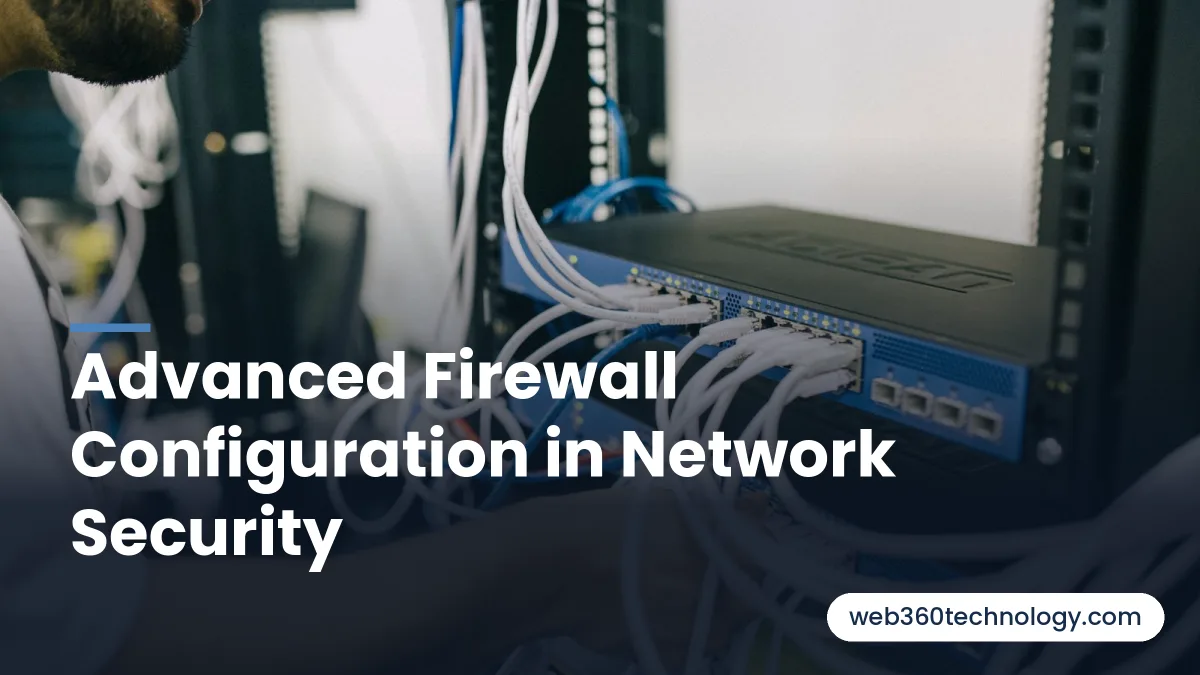
Advanced Firewall Configuration in Network Security
As an Amazon Associate we earn from qualifying purchases. Guides are for general information; always check your owner's manual and consult a qualified mechanic when unsure.
Firewalls sit at the heart of network security. They guard your data every day. But basic firewalls only block simple traffic. You need advanced methods for real protection. Advanced Firewall Configuration In Network Security changes the game.
It adds layers of smart defense. This approach stops modern threats cold. It also keeps your network running smooth. You can’t rely on old tools alone. Always follow official safety and maintenance guidelines for best results.
Setting up a firewall right takes skill. You must know your network well. Each device needs its own rules. Users, apps, and servers all differ. A good setup blocks bad traffic fast. It also lets good traffic flow free.
This balance is what experts aim for. We will walk through the key methods. You will learn how to build strong walls. You will also learn how to check them. Smart firewall work keeps hackers out. It also stops inside problems from spreading.
Practical Methods for Advanced Firewall Configuration in Network Security
Start with a clear plan. Map your network traffic first. Know which apps need access. Then set rules that match real needs. A default deny stance works best. It blocks all traffic by default.
You then open only what you need. This tight control stops many attacks. It also cuts down on noise. Regular checks keep your rules fresh. Old rules can cause big problems later. Clean them out often to stay safe.
Use role-based rules for your teams. Marketing may not need the same access as finance. Group users by their job tasks. Then apply rules to those groups. This cuts down on rule bloat.
It also makes audits much easier. You can track who needs what fast. A tidy rule set runs better. It also stops conflicts from slowing you down. Keep your policy documents up to date too.
- Default Deny Stance: Block all traffic first. Then open only the ports and apps you truly need. This tight start stops hidden threats from slipping in.
- Role-Based Rules: Group users by job tasks. Apply access rules to those groups. This cuts down on bloat and makes audits much faster.
- Rule Lifecycle Checks: Review your rules every month. Delete old rules that no one uses. Stale rules create weak spots in your walls.
- Change Logging: Log every rule change with a date and reason. This trail helps you spot mistakes and track who made them.
Decoding Next-Generation Firewall Architecture and Inspection Engines
Next-gen firewalls go past simple packet checks. They look deep into each data flow. They track the state of every connection. This is called stateful inspection at its core. The firewall knows if a packet belongs to a valid session.
It also spots weird patterns fast. Modern engines add app-layer filters too. They can tell a video stream from a file transfer. This fine control stops apps from acting sneaky.
Next-Generation Firewall tools from brands like Palo Alto and Fortinet lead here. They add intrusion prevention right into the flow. They also run threat intel feeds live. These feeds share new attack signs fast.
Your firewall can block known bad IPs on the spot. It can also spot encrypted threats with TLS inspection. This deep look inside secure traffic is a big win. It stops hackers from hiding in plain sight.
- Stateful Engine: Tracks each connection’s state. It flags packets that don’t fit a valid session pattern. This blocks many spoofing and injection attempts.
- App-Layer ID: Identifies apps, not just ports. It stops users from running risky apps on allowed ports like 80 or 443.
- Threat Intel Feeds: Pull live data on new threats. Your firewall blocks known bad IPs and domains before they reach your network.
- TLS/SSL Inspection: Decodes secure traffic to scan for hidden threats. This stops attackers from hiding malware inside encrypted tunnels.
Designing Zero-Trust Network Segmentation with Micro-Policy Enforcement
Zero-trust means trust nothing by default. Every user and device must prove itself. You split your network into small zones. Each zone gets its own tight rules. This stops lateral movement if a breach hits.
A hacker who slips past one wall hits a dead end. Micro-segmentation puts those walls close to each app. It guards each workload on its own. This approach works well in cloud setups too.
You need clear micro-policies for each segment. A policy might allow a web server to talk to a DB on port 3306 only. It blocks all other traffic to that DB. These tiny rules add up to strong defense.
They also help you meet compliance rules fast. Start small with your most sensitive apps. Then grow the model to cover your full network. This step-by-step build keeps things manageable and strong.
- Identity Checks: Check every user and device before access. Each request must pass an auth check, even inside your network.
- Micro-Segments: Split your network into tiny zones. Each zone has its own strict rules that limit blast radius on a breach.
- Least Privilege: Give each app only the access it needs. A web server does not need admin rights to a database.
- Cloud Ready: Apply these same rules to cloud workloads. Zero-trust segmentation works in hybrid setups with on-prem and cloud assets.
Mastering Access Control Lists and Rule Base Optimization Techniques
Access control lists form the backbone of your firewall logic. They decide what traffic moves and what gets blocked. A messy rule set causes conflicts and opens gaps. You need clean, tight rules that work together.
Rule base optimization cuts waste and boosts speed. It removes unused entries and fixes overlapping rules. This keeps your Advanced Firewall Setup In Network Security sharp and strong. Small changes can prevent big breaches later.
- Rule Order Matters: Place specific rules above broad ones. The firewall checks rules top to bottom. A wide rule too high can hide a tight rule below.
- Remove Dead Rules: Delete entries that no service uses. Old rules add clutter and risk. They slow down your firewall and hide real threats.
- Consolidate Overlaps: Merge rules that share the same action. This cuts the total count and eases management. Fewer rules mean faster lookups and cleaner logs.
- Use Object Groups: Group IPs or ports into named sets. Update one object instead of many rules. This saves time and cuts human error during edits.
Implementing Deep Packet Inspection and Encrypted Traffic Analysis
Deep packet inspection goes past basic header checks. It reads the actual payload of each packet. This lets your firewall spot hidden threats inside the data flow. Without it, malware can slip through unnoticed.
Encrypted traffic adds a hard layer to inspect. You must decrypt TLS sessions to see the real content. This requires careful key management and policy setup. Done right, it blocks hidden attacks in secure tunnels.
- SSL Decryption Setup: Install the firewall as a trusted proxy. It intercepts encrypted flows, decrypts them, scans them, then re-encrypts. This exposes threats hiding inside HTTPS streams.
- Application-Layer Filtering: Inspect traffic at the app level, not just ports. The firewall can spot HTTP requests that look like safe web visits but carry malicious commands.
- Threat Signature Matching: Use updated signatures to find known attack patterns. Deep packet inspection compares payload data against a live threat database. It flags matches and drops the packets fast.
- Performance Tuning: Deep inspection uses more CPU and memory. Set policies to only inspect high-risk traffic types. This keeps your Advanced Firewall Setup In Network Security fast and responsive.
Operational Hardening: Threat Intelligence Integration and Continuous Policy Auditing
Threat intel feeds give your firewall live context. They share data on known bad IPs, domains, and file hashes. Your firewall uses this data to block attacks in real time. Without feeds, you are stuck checking old info.
Steady policy auditing keeps your rules healthy over time. It spots stale entries, conflicts, and risky gaps before attackers find them. Regular audits make your Advanced Firewall Setup In Network Security a living, updated system, not a static setup.
- Automated Feed Updates: Pull threat data from trusted sources. Your firewall updates block lists on its own, several times per day. This keeps your defenses current with the latest threats.
- Scheduled Policy Reviews: Set a weekly or monthly audit cadence. Review rule hits, unused entries, and new business needs. Small tweaks stop rules from drifting into risky states.
- SIEM Log Correlation: Send firewall logs to your SIEM system. This ties firewall events to other security alerts. It gives you a full view of attack patterns across your network.
- Change Control Tracking: Log every rule change with a timestamp and owner. This stops rogue edits and helps you trace mistakes. You can roll back bad changes fast if needed.
Comparing Firewall Vendors and Inspection Methods
Different vendors take different approaches to firewall tech. Some focus on raw throughput and low latency. Others put more weight on app-level control. You must match the tool to your real needs.
Palo Alto excels at app-layer view. Fortinet often leads in cost per gigabit. Check Point brings strong identity-aware policies. Cisco Firepower adds tight integration with its ecosystem. Each brand has trade-offs to weigh.
Inspectors also vary in depth. Some firewalls do basic stateful checks only. Others add full TLS decryption and sandboxing. Your threat model should guide this choice. A high-risk firm needs deep inspection. A small office may need simple rules.
- Throughput vs. Depth: Deep inspection slows raw speed. You must size your hardware to match. Test under real load before you buy.
- Vendor Support Quality: Fast vendor help matters during an attack. Check response SLAs before you commit.
- Deployment Flexibility: Some tools work best in hardware. Others shine as virtual or cloud-native appliances. Pick what fits your setup.
Handling Encrypted Traffic Without Killing Performance
SSL inspection can eat up your firewall CPU. Each connection needs a decrypt and re-encrypt step. On busy links, this adds real latency. You need a smart plan to keep speed up.
Start by targeting only high-risk traffic. Decrypt web-bound flows first. Skip internal east-west traffic if it stays encrypted. This saves CPU and still blocks key threats.
Use hardware acceleration when you can. Many next-gen firewalls have dedicated crypto chips. They handle TLS math much faster than CPUs alone. This lets you inspect more flows without a lag spike.
You should also set clear trust rules. Add your internal CA cert to all endpoint devices. This stops trust errors and broken app connections. Test with a small group first, then roll out.
- Targeted Decryption: Only decrypt traffic that poses real risk. Skip low-risk internal streams to save CPU.
- Hardware Offload: Use crypto chips built into your firewall. They speed up TLS handling greatly.
- Rollout: Deploy SSL inspection to one group first. Fix any app issues before you expand to all users.
- Certificate Hygiene: Keep your internal CA certs fresh. Rotate them on a set schedule to stay secure.
Handling Common Edge Cases and Troubleshooting
Even well-set firewalls can cause surprises. Legit traffic sometimes gets blocked by mistake. Users may report app timeouts or slow transfers. These issues often trace back to rule gaps.
Start your fix with a packet capture. Check if the firewall drops the traffic. Look at the rule hit counts to find the cause. A mismatched app-ID or port can block legit flows.
Watch for asymmetric routing too. If return traffic takes a different path, the firewall may drop it. You need symmetric paths or a stateful failover setup. This keeps sessions alive and users happy.
Another common edge case is VPN split tunneling. Some apps must stay inside the tunnel. Others can use the direct link. Your rules must reflect this split clearly. Test both paths after any change.
- Packet Captures: Grab a trace at the firewall edge. It shows the exact packet and rule action. This makes root cause work much faster.
- Asymmetric Routing Fixes: Ensure return traffic uses the same firewall path. Add static routes if needed to force symmetry.
- VPN Split Tuning: Set clear split rules for each app. Test both tunnel and direct paths after changes.
- App-ID Mismatches: Update your app signature database often. New app versions can change their traffic patterns and ports.
| Firewall Vendor | Key Inspection Method | SSL Decryption Support | Threat Intel Integration | Best For |
|---|---|---|---|---|
| Palo Alto Networks | NGFW with App-ID | Yes, full proxy | LiveGlobalProtect feeds | Complex, mixed cloud envs |
| Cisco Firepower | FTD with ASA logic | Yes, inline proxy | Talos Intelligence Center | Large enterprise networks |
| Fortinet FortiGate | NGFW with UTM apps | Yes, SSL/SSH inspection | FortiGuard Labs feeds | High-throughput edge sites |
| Check Point | Stateful + IPS blades | Yes, Quantum Safe | ThreatCloud实时 | Strict compliance needs |
Frequently Asked Questions
How Often Should I Audit My Firewall Rule Base?
Run a full audit at least once a month. High-change networks may need a quick review each week. Audit any time you add a new app or service. Regular checks stop stale rules from creating gaps.
Can Deep Packet Inspection Slow Down My Network?
Yes, it uses extra CPU and memory on the firewall. You can limit inspection to risky traffic types to keep speed up. Proper hardware sizing also prevents bottlenecks during peak use.
What Is the Best Way to Handle Ssl Inspection Without Breaking Apps?
Start by inspecting only outbound web traffic first. Add trusted certs to your endpoint devices to avoid trust errors. Exclude critical internal apps until you test and confirm the setup works.
Do I Need Threat Intel Feeds If I Have a Good Ips?
Yes, feeds add fresh, real-time context your IPS alone lacks. They block known bad IPs before a full attack starts. Together, they give you a much stronger defense layer.
How Does Advanced Firewall Configuration in Network Security Prevent Lateral Movement?
It uses micro-segmentation and strict inter-zone rules to contain threats. If one segment gets breached, the firewall blocks east-west traffic to other zones. This stops attackers from hopping to critical servers.
Final Thoughts and Next Steps
Advanced Firewall Setup In Network Security demands steady hands and clear thinking. You must balance tight rules with real business needs. Start by cleaning your rule base and adding threat feeds. Then layer in deep inspection and SSL decryption where it counts. Small, regular steps beat big, risky overhauls every time.
Keep testing your policies and reviewing your logs each week. A firewall is only as good as the care you put into it. Make auditing and updates part of your team’s daily habits. Strong, current defenses keep your network safe from today’s fast-moving threats.